Case study · Game design
Turning a studio story into a browser game
A walkthrough of the Arc Labs playable journey: illustrated scenes, simple controls and a direct route back to the studio.
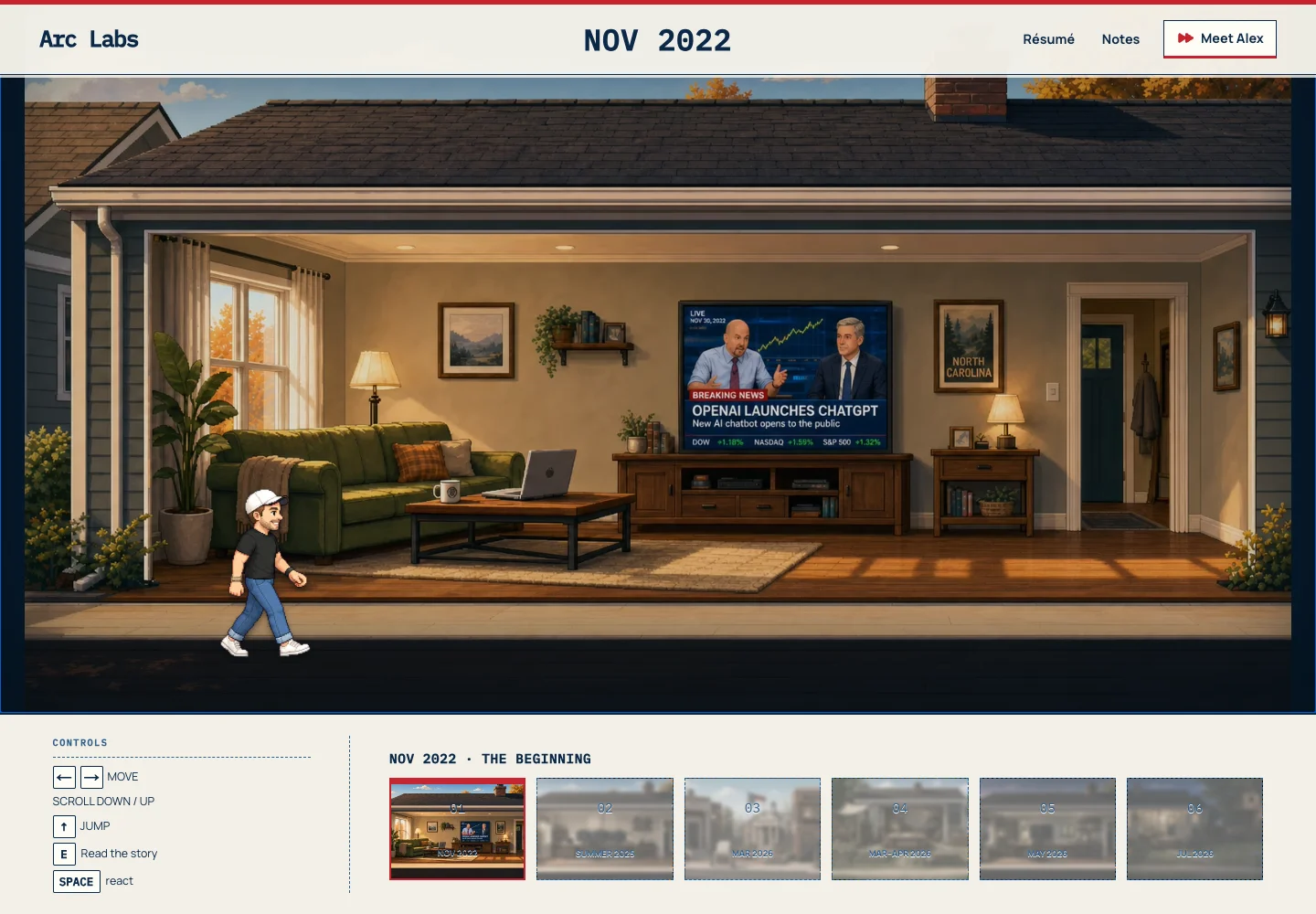
- The setting carries the story before the visitor reads a paragraph.
- Movement and a single story action give the visitor a clear way to take part.
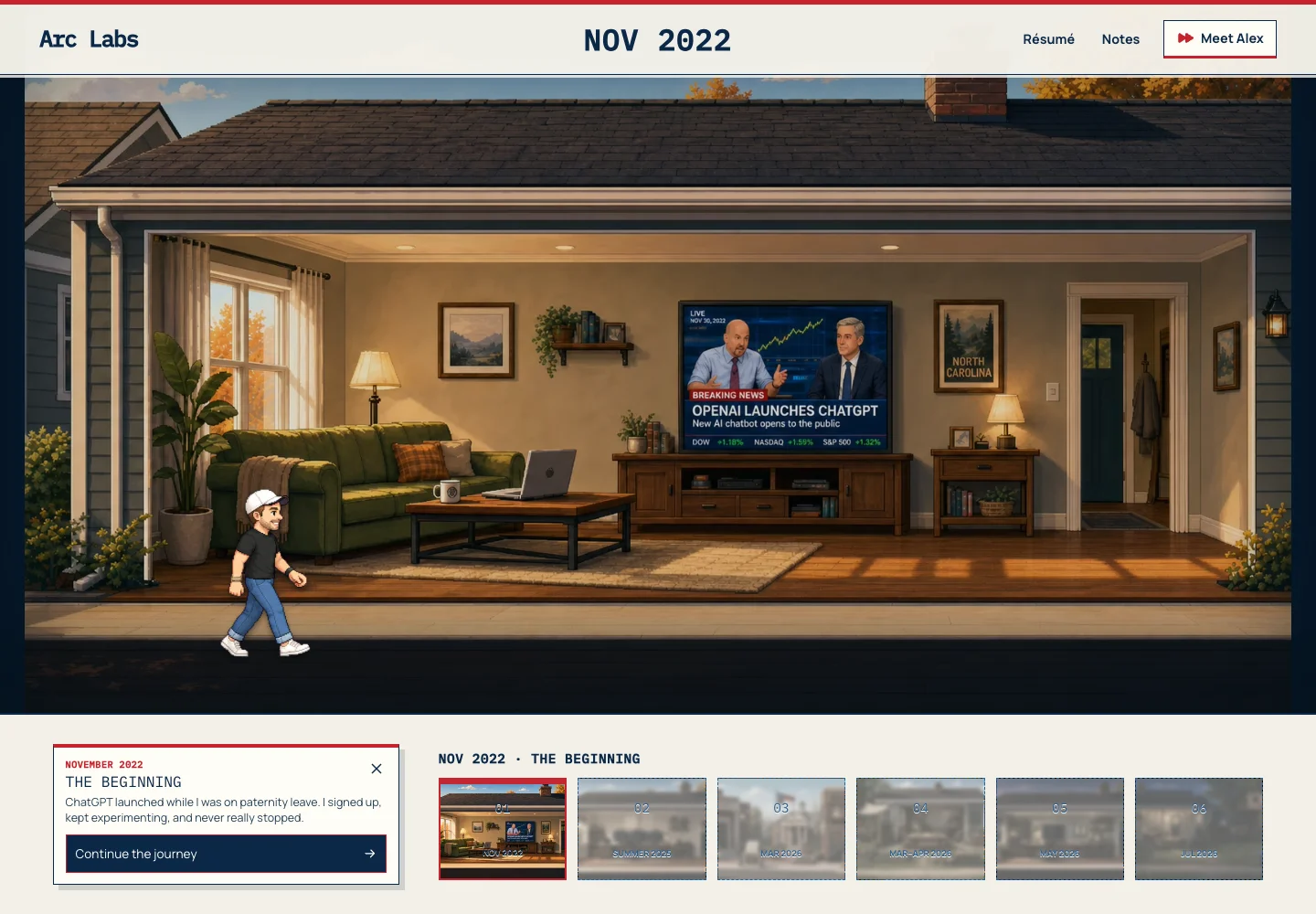
- Chapter controls and a portfolio shortcut let visitors choose how much time to spend.
An About page usually asks someone to read. For the original Arc Labs site, we explored a different format: a visitor moves through illustrated scenes that trace a journey from discovering AI tools to building products with them.
Our perspective
A game earns its place when the interaction helps tell the story. Start with a small action, make the controls clear and give the player somewhere useful to go afterward.
01. Give the visitor a place to begin
The opening screen offers a choice: start the journey or go straight to the portfolio. Starting reveals a character, a setting and the first chapter. It establishes the tone without making every visitor complete the game to learn about the studio.
For a business, that first scene could introduce the place, product or event behind the experience. The brief should name what a player needs to understand and how quickly they can begin.
Try the live studio example. Play the Arc Labs journey
02. Reveal the story through an action
In the journey, visitors move the character and choose when to read a chapter’s story. The illustrated environment provides context while the interaction reveals more detail. The experience uses keyboard controls and includes touch controls for smaller screens.
A branded game could use matching, collecting or exploring instead. We would choose the action because it fits the subject and audience, then test a playable MVP before expanding the artwork and content.
03. Keep the next step easy to reach
Chapter navigation shows progress, while the portfolio shortcut gives visitors a faster route to the person and work behind the game. For a business project, the next step might be a product page, event information or a contact form.
This example demonstrates browser interaction and visual storytelling. It does not establish increased brand recall, sales or campaign performance. Those outcomes need a distribution plan and measurements agreed for the actual audience.
What happens after a custom browser game launches?
A standalone game can be delivered with its source, artwork, deployment instructions and a walkthrough. Hosting and the expected devices belong in the brief. If the game uses accounts, a live leaderboard or a signup integration, those services need an owner and an agreed support plan.
After launch, we can review the agreed events, such as game starts, completions and clicks to the next page, where measurement is included. Additional content, seasonal artwork and new mechanics can be scoped as follow-on work. Buying a game should leave you clear on what you own and how to keep it available.
Put this into practice
Let’s talk about your business.
What would you like people to remember about your business? Share the story, audience or event you have in mind.
Explore branded browser games Discuss your project